
How to access your hosting panel

To access hosting panel, you can do in 2 ways:

  1. to access hosting panel directly from your billing account. To do so, login here

https://marksystem.company 

in your account, select service, hosting service and on right corner, select "login to hosting panel" or "login to cPanel"
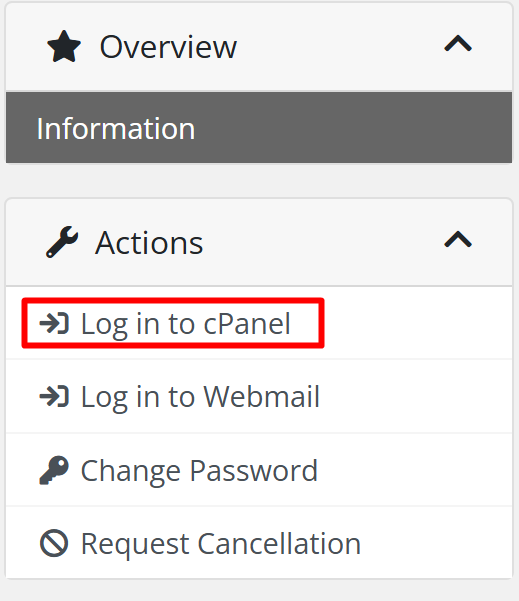
And the second way is to login into hosting control panel directly, using the link below:

https://<your_domain_name>/cpanel 

replace <your_domain_name> with your real domain name, for example:

https://www.marksystem.ie/cpanel 

  • 69 Bu dökümanı faydalı bulan kullanıcılar:
Bu cevap yeterince yardımcı oldu mu?

İlgili diğer dökümanlar

How to Automatically Set Up Email on iOS Devices

This guide will provide the steps for how to use cPanel's script to automatically set up an...

How to add an email account in cPanel Hosting Panel

To add a new email account, do the following:   Login into your account from...

How do I reset my cPanel control panel password?

Please see the following steps on how to reset your cPanel control panel password: • Log in to...

How to Install the ClamAV Plugin in WHM

ClamAV is a free plugin based on the open source ClamAV engine. You can install this to run scans...

How to Restart Services Using WHM

cPanel also allows you to restart services on your VPS through WHM instead of the command line....